As an Amazon Associate I earn from qualifying purchases. ProductDome earns a commission when you buy through links on this page.
Best Overall
Internal Solid State Drives
Samsung 990 PRO NVMe SSD 2TB
Model: MZ-V9P2T0B/AM
Built for gaming desktops and laptops with a free slot, this drive loads big files quickly. The listing shows no heatsink, so console or tight-airflow use needs cooling planned separately.
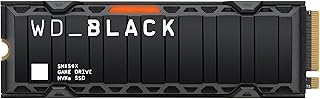
A fast NVMe drive with a heatsink, aimed at gaming desktops and Sony consoles. Write speed is listed two ways, and the heatsink adds height to check before buying.
A well-documented SATA SSD for upgrading an older desktop or laptop, with a stated endurance figure. The SATA link caps speed, and the warranty term is stated two ways in the listing.
A top-tier NVMe drive for AI workloads, heavy editing and gaming on a desktop or laptop with a matching slot. It needs a current-generation slot for full speed, and no heatsink is listed.
A SATA drive that moves an older laptop or desktop off a spinning disk, with a spacer and cloning software supplied. It uses the SATA interface, so it will not fit an NVMe slot.
A fast one terabyte Gen4 NVMe drive that fits PCs, laptops and several handheld gaming consoles. It ships bare with no heatsink listed, so cooling depends on the host device.
A mainstream SATA drive that swaps in for a laptop or desktop hard disk, with a read and write rate suited to boot and application loading. The capacity is modest, so it suits a system drive more than a media library.
A fast NVMe drive for desktops and laptops with a free compatible slot. The listing does not mention a heatsink, so check clearance and cooling in your build.
Digital Storage Capacity
1 TB
Connectivity Technology
NVMe
Hard Disk Interface
PCIe x4
Form Factor
M2
Internal Solid State Drives
WD_Black SN7100 NVMe SSD 1TB
Model: WDS100T4X0E
A fast one terabyte Gen4 NVMe drive tuned for laptops and gaming handhelds. The listing shows the drive alone with no heatsink, so cooling relies on the host.
A one terabyte NVMe drive on a fast PCIe link that fits desktops and laptops with a matching module slot. It has no heatsink listed, and the sequential speeds are rated for short bursts.
A very fast fifth generation PCIe drive for desktops and laptops with a compatible slot. It needs a matching port to reach the top speeds, and the listing shows no heatsink.
A licensed storage expansion for the console with its cooling already attached. It is built for a console slot, and compatibility with other devices is not described.
A fast fourth generation NVMe drive for desktops, laptops and consoles with a free drive slot. The size is listed two ways, so confirm the slot before buying.
A basic internal SATA SSD for a desktop that still boots from a spinning disk. The listing names desktop use only, so laptop owners should confirm fit first.
A SATA SSD that gives a roomy, quicker drive to a machine still on a hard disk. Speed figures conflict between the title and spec fields, and only the drive is listed in the box.
These 10 internal solid state drives are the most searched brands and models among the established products in this category (monthly searches for each brand and model); on a tie, the one with more owner ratings ranks first. Product data comes from public Amazon listings (updated 2 days ago). We do not test products ourselves.
What are the most popular internal solid state drives brands?
Samsung, Crucial, WD_BLACK, WD_Black, Patriot Memory lead this category among the 10 brands that passed our curation checks.
How does ProductDome pick these internal solid state drives?
A listing appears only when it has a recorded price, a minimum customer rating, and enough ratings or monthly sales. Generic and unbranded listings are left out, while every real brand stays, including brands sold only on Amazon. The ones that pass are ordered by how many people search for that brand and model each month; review counts only break ties.
About internal solid state drives
Internal solid state drives come as cased drives that fit a drive bay and slim circuit-board modules that mount directly to a motherboard. Cased drives need a suitable bay and connections; modules need a supported slot, board length and communication protocol, so a matching connector shape is insufficient to establish compatibility. A full module dimension code identifies board width and length, while a generic module label leaves those measurements uncertain. Use your computer’s service manual to identify the supported dimensions and protocol before comparing drives. Among compatible options, the first choice is how much storage you need for your operating system, applications and files.
Size the drive for everything you will install or transfer, plus future additions and working space for updates, photo collections or video projects. Among the 19 products that list digital storage capacity, most fall between 0.5 and 2 tb, and 1 tb is typical. If large games or active projects must stay installed, allow room for those together; a smaller drive means moving or deleting content more frequently. Formatting and system partitions reduce the space available for your files, so allow for those when comparing your intended contents with the advertised capacity.
For performance, distinguish between everyday responsiveness and moving large files: advertised sequential transfer speeds say more about the latter than about opening applications or handling small files. Those speeds depend on the host connection, workload and measurement conditions, so compare them with what your computer supports. For frequent large writes, look for sustained write performance: on drives that use a fast write cache, speeds can drop once it fills. For editing scratch space or other work that repeatedly rewrites data, compare the stated write endurance with your expected usage and read how that limit affects warranty coverage.
Before buying, establish whether mounting screws, a bay bracket or separate data and power cables are required, and whether the necessary hardware is supplied or sold separately. An attached heatsink needs clearance beneath laptop covers or motherboard cooling hardware. If replacing the startup drive, decide between a fresh operating-system installation and cloning your existing drive; cloning may require a compatible adapter or enclosure, plus software that supports your existing disk layout. Confirm whether these transfer accessories and software are included or sold separately, and whether the transfer method requires both drives to be connected simultaneously.
How we list products: every listing here has a recorded price, a minimum customer rating and enough ratings or monthly sales. Generic and unbranded listings are left out; every real brand stays, including brands sold only on Amazon. Products are ordered by monthly searches for their brand and model on every page.Editorial policy
Cookie settings
We use necessary cookies to keep the site working. Page views are counted without cookies. With your permission, we also use functional and marketing cookies. Cookie Policy.


 Best Overall