


Dell Pro WD25 USB-C Laptop Docking Station 100W
- USB-C dock with 100W power delivery per the title
- 10 ports including 6 USB, Ethernet, DisplayPort and HDMI
- Quad display support listed
- 130 watts listed wattage
- Windows 10, Windows 11, Ubuntu 24.04, ChromeOS 137 compatible
- Cloud-based management through the Dell Device Management Console
- 3 year limited hardware warranty with advanced exchange
Last refreshed Sep 23, 2026 · Based on the Amazon listing and published specifications, not hands-on testing.
A universal USB-C dock that adds Ethernet, video and USB ports to a laptop through one connection, suited to office desks. Power delivery wattage is shown two different ways in the listing.
As an Amazon Associate I earn from qualifying purchases. ProductDome earns a commission when you buy through links on this page.
ASIN: B0FCSHJGGKModel: WD25Category: Laptop Docking Stations
Overview
A single USB-C cable links a laptop to this dock, which spreads out DisplayPort, HDMI, Ethernet and USB connections along with power delivery charging. It is plug and play and can be managed through a cloud console.
One cable at the desk replaces a pile of adapters, and the listed multiple display support suits office work. Business buyers also get cloud-based management and a long hardware warranty. The wattage numbers are not consistent across the listing, so charging a power hungry laptop needs checking.
Who it's for
Hybrid workers and office desks with a USB-C laptop, an external screen and wired network gain from the single cable setup. Anyone with a laptop that needs a specific high charging wattage should confirm the dock rating first.
Pros and cons
- Quad display support listed
- Ethernet and USB ports in one dock
- Cloud management console supported
- Plug and play setup
- Charging wattage listed two ways
- Only one HDMI port
- Specific port mix not itemized
- Needs a USB-C laptop
Performance notes
The dock moves video, data and power over one USB-C link, so total display and charging capacity is shared on that connection. Display outputs depend on the laptop graphics, and the listed operating systems indicate where drivers are supported. The listed power delivery figure sets how quickly a laptop can charge.
Specifications
| Brand | Dell |
|---|---|
| Model | WD25 |
| Dimensions & fit | |
| Item weight | 1.2 pounds |
| Item dimensions l x W x h | 8.07 x 3.54 x 1.39 inches |
| Capacity & performance | |
| Wattage | 130 |
| Compatibility & installation | |
| Hardware interface | DisplayPort, Ethernet, HDMI, USB |
| Compatible devices | Windows 10, Windows 11, Ubuntu 24.04, Red Hat Enterprise Linux 9.6+, ChromeOS 137 |
| Warranty & support | |
| Warranty description | 3-Year Limited Hardware Warranty with Advanced Exchange |
| Other details | |
| Total number of HDMI ports | 1 |
| Total USB ports | 6higher than 50% of 23 laptop docking stations |
| Number of ports | 10lower than 57% of 24 laptop docking stations |
| Highlights | Universal Dock, Ethernet, USB-A Ports, USB-C Ports, Power Delivery Charging, Quad Display, Plug and Play |
Closest rivals on specs

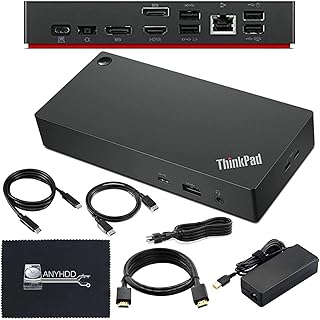
 Lenovo ThinkPad Thunderbolt 4 Dock 40B00135US with 135W Adapter
- Total USB ports 6 vs 7 (-14%)
- Number of ports 10 vs 12 (-17%)
Frequently asked questions
How big is the Dell WD25 dock?
The listing gives dimensions of 8.07 inches long, 3.54 inches wide and 1.39 inches high, with a weight of 1.2 pounds.
Does the Dell WD25 charge my laptop?
The title says 100W and the highlights list Power Delivery Charging, while the wattage field shows 130. The listing does not explain the difference, so check with Dell.
Can the Dell WD25 drive four monitors?
Quad display is listed in the highlights. The listing does not detail the combinations, so the output mix and resolution per screen are not confirmed.
Is the Dell WD25 a Thunderbolt dock?
No. It is a USB-C universal dock, and the listing does not mention Thunderbolt.
Which systems does the Dell WD25 support?
The compatible devices field names Windows 10, Windows 11, Ubuntu 24.04, Red Hat Enterprise Linux 9.6+ and ChromeOS 137.