


TP-Link RE235BE BE3600 WiFi 7 Repeater
- BE3600 Wi-Fi 7, dual band
- 3570 megabits per second data transfer rate
- 2.4 GHz and 5 GHz bands, 2 external antennas
- 1 port 2.5G, 160MHz, 4K-QAM, MLO
- EasyMesh and Smart Roaming listed
- 300 g weight, RJ45 connector
Last refreshed Sep 23, 2026 · Based on the Amazon listing and published specifications, not hands-on testing.
A dual band repeater on the latest Wi-Fi standard with a multi-gig port and mesh support, suited to extending a router signal into a quiet room. The listing leaves out coverage area, device capacity and warranty.
As an Amazon Associate I earn from qualifying purchases. ProductDome earns a commission when you buy through links on this page.
ASIN: B0FJM88BTGModel: RE235BECategory: WiFi Range Extenders
Overview
TP-Link made this repeater to relay a home router signal on two bands with two external antennas, a multi-gig Ethernet port and support for MLO and EasyMesh. A quick start installation guide comes with the unit.
A fast wired port, multi-link operation and mesh compatibility give it more flexibility than a basic repeater. The wireless standard list covers older devices. Coverage area and device capacity are missing from the listing, so room size needs checking separately.
Who it's for
Households wanting a fast repeater with a wired multi-gig port for a PC or console will find the feature set suited. Those comparing coverage claims or warranty length need to look beyond this listing, which gives neither.
Pros and cons
- Latest Wi-Fi standard listed
- Multi-gig Ethernet port
- EasyMesh and Smart Roaming
- Two external antennas
- Coverage area not listed
- Warranty not listed
- Dual band, not tri band
- Device capacity missing
Performance notes
A repeater passes along the signal it receives, so the link between the router and the repeater caps the speed at the far end. MLO lets a compatible device use more than one band at once, and the wide channel width raises potential speed. The Ethernet port bypasses wireless loss for a wired device.
Specifications
| Brand | TP-Link |
|---|---|
| Model | RE235BE |
| Dimensions & fit | |
| Item weight | 300 g |
| Compatibility & installation | |
| Compatible Devices | General Wi-Fi Devices |
| Easy Installation | simply connect and set it up by pressing the WPS button or Tether app. |
| Excellent Compatibility | Works with all generations and Wi-Fi devices and all Internet providers. |
| Warranty & support | |
| Frequency Bands Supported | 2.4 GHz, 5 GHz |
| Other details | |
| Data Transfer Rate | 3570 megabits per second |
| Wireless Compability | Wi-Fi 7 (BE), 802.11a, 802.11ac, 802.11ax, 802.11n |
| Connector Type | RJ45, 1 port 2.5G |
| BuiltIn Media | Quick Start Installation Guide, RE235BE |
| Special Features | MLO, Smart Roaming, EasyMesh |
| 2.5G Multi-Gigabit Ethernet Port | 1 × 2.5 Gbps port provides maximum flexibility and capacity increase. |
| Smart Roaming | Go from room to room and stay connected with the fastest speed possible. |
Closest rivals on specs
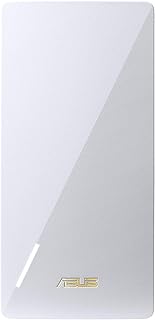 ASUS RP-AX58 AX3000 WiFi 6 Range Extender
- Data Transfer Rate 3570 vs 3000 Mbps (+19%)
 ASUS RP-BE58 BE3600 WiFi 7 Range Extender
- Data Transfer Rate 3570 vs 2882 Mbps (+24%)
 NETGEAR EX7300 AC2200 Mesh Range Extender
- Data Transfer Rate 3570 vs 2200 Mbps (+62%)
Frequently asked questions
Can I change where the TP-Link RE235BE is plugged in after setup?
The listing gives no placement steps. It lists EasyMesh and Smart Roaming, so check TP-Link guidance for positioning relative to the router.
Does the TP-Link RE235BE replace my router?
No. It is a repeater that extends an existing network. The description says it is compatible with all internet boxes.
What is in the box with the TP-Link RE235BE?
The built in media field lists the RE235BE and a quick start installation guide.
Which Wi-Fi standards does the RE235BE support?
The wireless compatibility field lists Wi-Fi 7 along with 802.11a, 802.11ac, 802.11ax and 802.11n.
How many antennas does the RE235BE have?
The description lists 2 external antennas.