

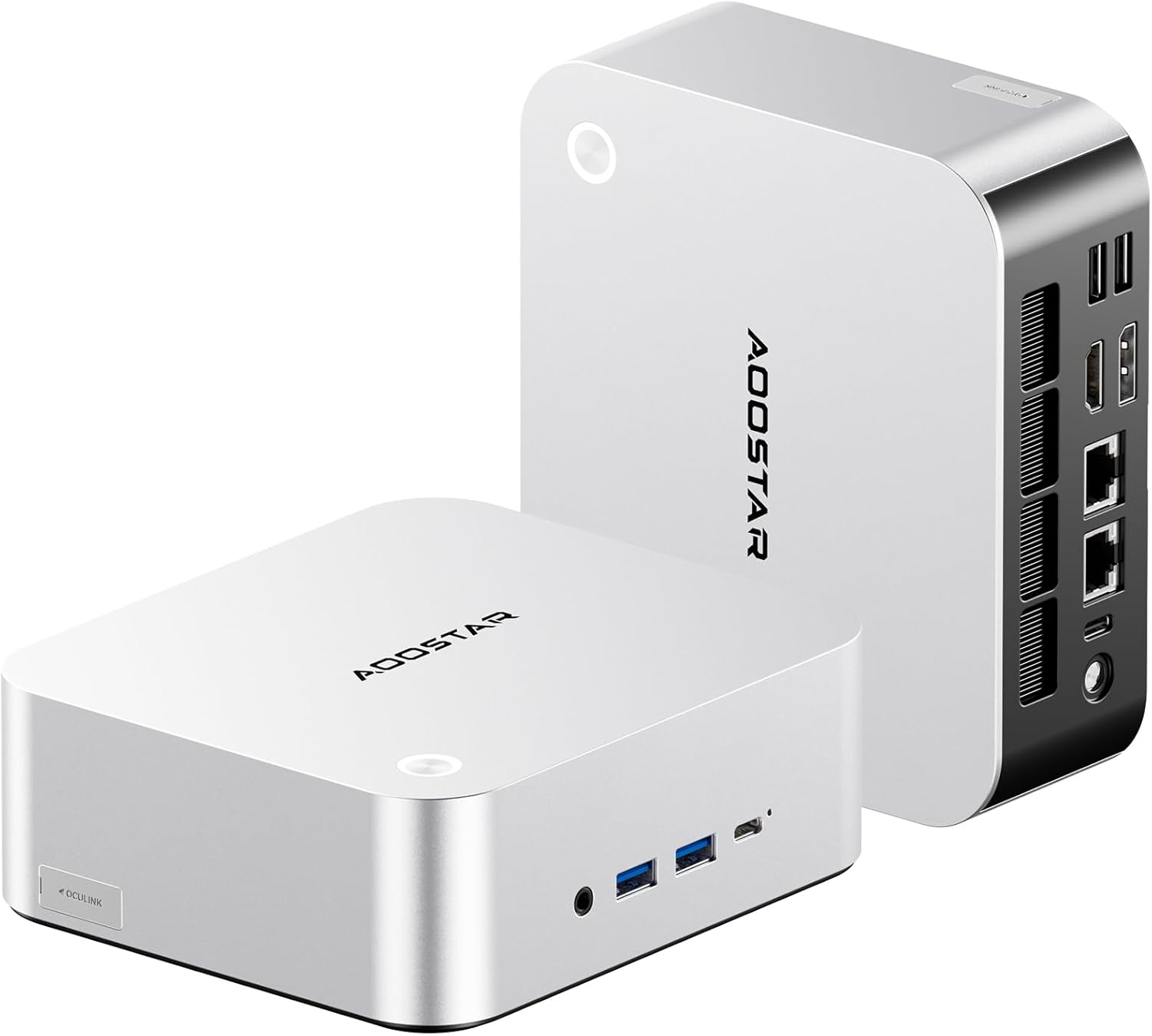
AOOSTAR MACO Barebone Mini PC Ryzen 7 PRO 8845HS
- Barebone: no RAM, SSD or OS included
- Ryzen 7 PRO 8845HS, 8 cores, 16 threads, up to 5.1GHz
- Radeon 780M integrated graphics
- OCuLink port for an external GPU
- Dual USB4 ports
- Dual 2.5G LAN and WiFi6
- Up to 128GB DDR5 at 5600 MHz
- HDMI and DisplayPort outputs, 2 HDMI ports
Last refreshed Sep 23, 2026 · Based on the Amazon listing and published specifications, not hands-on testing.
A barebone mini PC for builders who will supply their own memory, storage and operating system, with OCuLink for an external graphics card. It will not run out of the box, and dimensions are not listed.
As an Amazon Associate I earn from qualifying purchases. ProductDome earns a commission when you buy through links on this page.
ASIN: B0G69TQYFMCategory: Mini Desktop Computers
Overview
A builder who already owns memory and an SSD gets a compact Ryzen mini PC to assemble. The OCuLink port links an external graphics card, while dual USB4 and dual fast wired network ports handle peripherals and network links.
Expansion is the reason to consider it: the fast processor, an external graphics link, dual USB4 and dual wired networking make a flexible base for a custom mini PC or small lab machine. The limitation is the extra shopping and setup, since memory, an SSD and an operating system all have to be added before it works.
Who it's for
A home lab, a compact gaming setup with an external graphics card, or a small server project where the owner is comfortable fitting parts. First-time computer buyers should choose a complete system, as nothing here includes memory, storage or Windows.
Pros and cons
- OCuLink for external graphics
- Dual USB4 ports
- Dual wired network ports
- Large memory ceiling
- No RAM, SSD or OS included
- Dimensions not listed
- Only two USB ports in total
Performance notes
Speed depends on what the buyer installs, since memory capacity, memory speed and the SSD are not supplied. The eight-core processor and integrated Radeon graphics handle everyday and light gaming work, and the OCuLink port allows an external graphics card to take over heavy graphics. Cooling design is not described in the listing.
Specifications
| Brand | AOOSTAR |
|---|---|
| Dimensions & fit | |
| Ram Memory Maximum Size | 128 GB DDR5higher than 91% of 33 mini desktop computers |
| Item weight | 1.52 kg |
| Capacity & performance | |
| Processor Speed | Up to 5.1 GHz |
| Video Output | HDMI, DisplayPort |
| Memory Speed | 5600 MHz |
| Compatibility & installation | |
| Connectivity Technology | OCuLink eGPU, dual USB4, dual 2.5G LAN, WiFi6, Bluetooth |
| Other details | |
| Graphics Coprocessor | Radeon 780M (integrated) |
| Processor | AMD Ryzen 7 PRO 8845HS (8 cores, 16 threads) |
| Total Usb Ports | 2 |
| Total Number of HDMI Ports | 2 |
| Personal Computer Design Type | Barebone (no RAM, SSD or OS) |
| Keyboard Description | None (not included) |
Closest rivals on specs
 MINISFORUM UM760 Slim Mini PC Ryzen 5 7640HS
- Ram Memory Maximum Size 128 vs 96 GB (+33%)
- Memory Speed 5600 vs 4800 MHz (+17%)
 MINISFORUM AI X1-255 Mini PC Ryzen 7 255
- Ram Memory Maximum Size 128 vs 64 GB (+100%)
 Lenovo ThinkCentre neo 50q Gen 5 Mini Desktop
- Ram Memory Maximum Size 128 vs 64 GB (+100%)
- Memory Speed 5600 vs 4800 MHz (+17%)
Frequently asked questions
What do I need to install in the AOOSTAR MACO?
The listing says barebone with no RAM, SSD or operating system. DDR5 memory, up to a listed maximum of 128GB, an SSD and an operating system must be added.
What is OCuLink for on the AOOSTAR MACO?
The title lists OCuLink for an eGPU, meaning an external graphics card. The listing does not name a specific dock or card.
Does the AOOSTAR MACO include a keyboard?
No. The keyboard is listed as none and not included.
Is the AOOSTAR MACO a complete computer?
No. It is sold as a barebone system, so storage, memory and an operating system are all separate purchases.