As an Amazon Associate I earn from qualifying purchases. ProductDome earns a commission when you buy through links on this page.
Best Overall
HDMI Cables
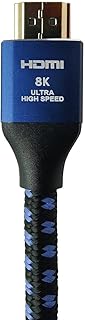
SVS SoundPath 8K HDMI 2.1a Cable 1m
A braided HDMI cable rated for 8K at ultra high speed, with eARC compliance, at a fixed one meter length. The outer material entry is vague, and no certification label is mentioned.
A next generation HDMI cable with in wall certification and enough bandwidth for future displays, useful for long life installs. Current gear will not use most of its headroom yet.
An ultra high speed HDMI cord for newer consoles, Blu-ray players and TVs. The connector gender is listed as male-to-female, so confirm that it suits your hookup.
A short braided HDMI cable meant for high refresh rate play from a PC, laptop or console. It is for indoor use, and several title claims go beyond what the spec table shows.
A two pack of long, full bandwidth HDMI cables for consoles, streamers and monitors that need the full bandwidth. They are for video and audio gear only, not for phones.
A long flat HDMI lead for newer consoles, receivers and 8K or high refresh displays. The listing gives no bullet detail beyond the specs, so connector build and bend limits are unknown.
A single-purpose cable that sends video from a USB-C laptop or phone to an HDMI display. It only works in one direction, and the listing says nothing of port requirements.
A short flat HDMI lead for consoles and 4K or 8K displays that need the full bandwidth. It is rated for indoor use and the listing gives no warranty or plating detail.
A short braided USB-C to HDMI cable for putting a laptop or phone on a TV or monitor. The listed refresh rate is modest, and Apple laptops are limited to one external screen.
A short ultra high-speed cable for connecting a console or streaming box to a high-refresh TV. It is a plain cable with no stated care guidance or bend limits.
A long, high-bandwidth cable with fire-safety jacketing, made for concealed installs. Refresh rate is stated two ways, and the warranty field says none.
A cable licensed for the console, with the bandwidth and refresh figures its top modes call for. It is a plain cable, so the TV must support the modes you want.
A reasonable option specifically because of its length; if your source and display sit close together, a shorter HDMI 2.1 cable does the same job for less.
A straightforward USB-C to HDMI option for 4K60 HDR output with braided durability, useful when a device's only video-out port is USB-C or Thunderbolt.
A properly rated HDMI 2.1 cable for anyone pushing 4K at 120Hz, 8K at 60Hz or eARC audio, at a length suited to a desk or console rather than a long wall run.
Highwings, Anker, Silkland, Acer, Belkin lead this category among the 15 brands that passed our curation checks.
How does ProductDome pick these hdmi cables?
A listing appears only when it has a recorded price, a minimum customer rating, and enough ratings or monthly sales. Generic and unbranded listings are left out, while every real brand stays, including brands sold only on Amazon. The ones that pass are ordered by how many people search for that brand and model each month; review counts only break ties.
About hdmi cables
HDMI cables come in passive versions and active versions with built-in electronics; active designs can help with longer runs, but some have direction or power requirements. Start with the sockets on both devices, then work out the cable length your setup needs. DisplayPort cables fit different sockets, so connecting a DisplayPort output to an HDMI screen requires a cable or adapter that converts between them in that direction. Inspect the pictured plugs and the description of both ends, since the connector filter alone cannot settle compatibility.
Choose length by measuring the route between sockets, including bends around furniture and enough slack to pull a device forward for access. Among the 17 products that list item length, most fall between 5 and 15 feet, and 6.6 feet is typical. A cable stretched tight can pull against a socket, while surplus cable needs space behind the equipment. For a wall-mounted screen or an adjustable monitor arm, include the route through brackets and the arm’s full movement. Filter by the measured length, then compare the maker’s bend guidance with the turns along that route and check flexibility if the cable will move with a monitor arm.
Match the cable’s explicitly supported resolution and refresh rate to the combination you intend to use. A listing’s highest resolution and highest refresh rate may describe different operating modes, so look for them stated together, including any colour settings that affect bandwidth requirements. The source device, screen and any receiver or switch between them must also support that combination. For gaming, check variable refresh rate compatibility in those devices’ specifications, alongside sufficient cable bandwidth for your intended video mode. For a soundbar connected through the television, verify in both devices’ manuals which ports support the audio return function you intend to use, and look for explicit cable suitability for that same function.
Before buying, compare plug housing dimensions with the clearance around recessed sockets and adjacent connections. For an active cable, confirm which end connects to the source, whether external power is required, and whether the necessary power accessory is supplied or sold separately. Concealed installation also requires a cable permitted for the intended wall route, with plugs that can pass through any conduit.
How we list products: every listing here has a recorded price, a minimum customer rating and enough ratings or monthly sales. Generic and unbranded listings are left out; every real brand stays, including brands sold only on Amazon. Products are ordered by monthly searches for their brand and model on every page.Editorial policy
Cookie settings
We use necessary cookies to keep the site working. Page views are counted without cookies. With your permission, we also use functional and marketing cookies. Cookie Policy.


 Best Overall


