


Razer HyperFlux V2 Wireless Charging Mouse Mat
- 14.18 x 12.21 inches hard surface mat, 0.49 inches thick
- Continuous wireless charging for compatible Razer mice
- 1000Hz polling rate, LED charging indicator
- HyperSpeed multi-device support for a mouse and keyboard
- USB-C connection, USB-A adapter included
- 1 year manufacturer warranty
Last refreshed Sep 7, 2026 · Based on the Amazon listing and published specifications, not hands-on testing.
A hard-surface wireless charging mat with a puck that installs in a compatible Razer mouse, for gamers who do not want to plug in. Only named Razer mice are supported.
As an Amazon Associate I earn from qualifying purchases. ProductDome earns a commission when you buy through links on this page.
ASIN: B0GJG1TZWSModel: HyperFlux V2Category: Mouse Pads
Overview
Not just a gaming surface, this Razer system is a power source for the mouse, using a puck installed inside a compatible model. The mat connects through USB-C, includes a USB-A adapter and has a grooved anti-slip rubber base.
Continuous charging and auto-pairing remove cables and battery swaps for the supported mice, and a keyboard can join through the mat too. Compatibility is narrow: the description names four wireless charging Razer mice.
Who it's for
A competitive player with one of the listed Razer mice who values a fast, hard surface. Owners of other mice, or players who want a cushioned cloth feel, need a different pad.
Pros and cons
- Continuous wireless charging
- Auto-pairing for supported mice
- Keyboard can also connect
- Anti-slip rubber base
- Only named Razer mice supported
- Hard surface has no cushion
- Included items list is not shown
Performance notes
The puck inside the mouse receives power through the mat, so the battery stays topped up during use. The hard surface has an ultra-low-friction finish that favors fast glide, and the grooved rubber base resists sliding on rapid flicks. An LED indicator shows battery state and charge thresholds can be customized.
Where it stands among mouse pads
- #9 most-searched brand and model of the 15 mouse pads lines we track (by search demand, not sales).
From the specs of the 31 mouse pads we list; not a test result.
Specifications
| Brand | Razer |
|---|---|
| Model | HyperFlux V2 |
| Dimensions & fit | |
| Item Dimensions L x W | 14.18"L x 12.21"W |
| Construction & materials | |
| Enclosure Material | Rubber |
| Color | Black |
| Compatibility & installation | |
| Compatible mice | Razer Basilisk V3 Pro 35K, Basilisk V3 Pro, Cobra Pro, Naga V2 Pro |
| Connection | USB-C (USB-A adapter included) |
| Warranty & support | |
| Warranty Description | 1 Year Manufacturer |
| Other details | |
| Item Thickness | 0.49 inches |
| Additional Features | Continuous Wireless Charging, Auto-Pairing, 1000Hz Polling Rate, LED Charging Indicator, Anti-Slip Rubber Base |
| Surface | Hard Surface |
Closest rivals on specs
 JIALONG XXL Gaming Mouse Pad 35.4x15.7
- Item Thickness 0.49 vs 0.1 inches (+390%)
 ITNRSIIET Round Marble Mouse Pad
- Item Thickness 0.49 vs 0.1 inches (+390%)
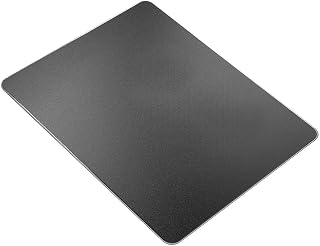 Vaydeer Aluminum Metal Mouse Pad
- Item Thickness 0.49 vs 0.1 inches (+390%)
Frequently asked questions
What comes with the Razer HyperFlux V2 mouse mat and puck?
The title names a mouse mat and a puck, and the description adds a USB-A adapter. The listing gives no further box contents.
Which mice work with the Razer HyperFlux V2?
The description names the Razer Basilisk V3 Pro 35K, Basilisk V3 Pro, Cobra Pro and Naga V2 Pro wireless charging mice.
Can a keyboard connect to the Razer HyperFlux V2 mat?
Yes. The description says HyperSpeed multi-device support lets a mouse and a HyperSpeed keyboard connect directly to the mat.